Class Photo Album with Video

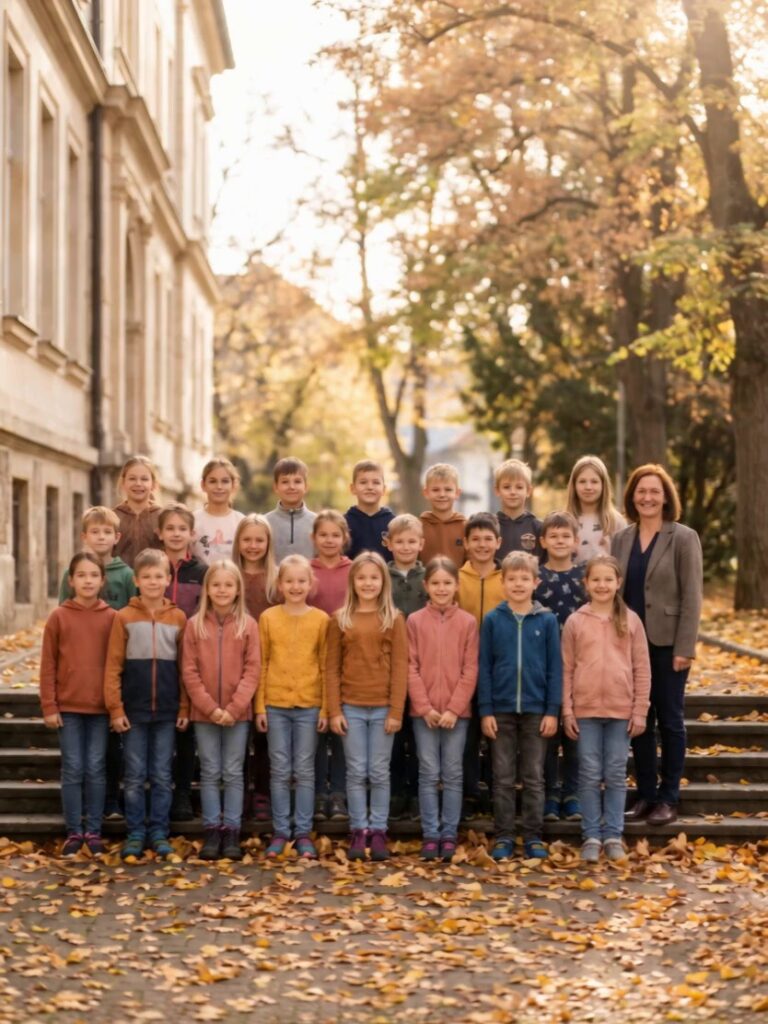
A class photo album with video: the group photo plays the class song, and each portrait plays a short message. One QR code per album, no app needed.

Vivalbo demo album Live · video from this frame
Vivalbo demo album

A class photo that plays a video

The class photo stays a class photo: you print it as usual, as a single print, in a class photo album or a school photo book, at any print shop you like. Vivalbo only adds a QR code.

A parent scans the QR code with the phone camera, the album opens in the browser, they point the phone at the photo, and the video plays right on the paper. No app to install. One QR code covers the whole album, even if it holds many videos.

It works for class pictures from kindergarten through elementary and middle school. For the end of a school stage, see also the graduation yearbook with video and the kindergarten album.

Which photos to bring to life in a class album

Group photo with the class song The whole-class photo plays the song the kids learned during the year.
Portraits with a message Each portrait plays a short message from the student, to watch again a few years from now.
End-of-year school show Videos that families already filmed on their phones play over the photos of the show.
School fair and field trip The games at the school fair or the day of the trip, on the photos taken that day.
A note from the teacher A goodbye from the teacher on their own photo, on the first or the last page.
End of kindergarten, 5th or 8th grade An album to mark the move up to elementary, middle or high school.

How to make a class photo album with video

  1. 01

    Inscrivez-vous

    Free 14-day DEMO, no credit card.

  2. 02

    Upload photos and videos

    Each photo gets its own video, up to 400 MB. The service crops and compresses it for you.

  3. 03

    Add the QR code to the layout

    Download the QR code and place it on a page of the album, for example the cover or the last page.

  4. 04

    Print and hand out

    Families scan the QR code, point the phone at a photo, and the video plays on it.

How much a class photo album with video costs

You pay for printing as usual, at your print shop. At Vivalbo, each living photo is paid for once, not per printed copy. That matters for class photos: when every family orders its own copy, the animated group photo doesn't cost any more.

Current prices are on the Pricing page. For display boards, yearbooks and school brochures, see the Schools page.

Questions about a class photo album with video

Do you need parental consent?

Yes, photos and videos of children require parental consent, as with any photo session. When you sign up, you confirm that you have this consent.

Who can see the videos?

The videos open only through the QR code and are not indexed by search engines. No ads, no sign-up for parents.

How long do the videos keep working?

Paid photos stay active until you delete them yourself, even if you don't renew your subscription. Views are unlimited.

Do parents need to install an app?

No. The videos play in the phone's browser after scanning the QR code. There is also a free Vivalbo app, but it's optional.

Can I test it before printing?

Yes. During the 14-day DEMO, just point your phone at the photo shown on your screen. Unpaid photos carry a “Test” label.

Bring your next class photo to life

14 days free, no credit card. Upload a class photo with its video and test it on screen.

What's next

Three things that happen after you get in touch.

1

Human support

During business hours, in your language, from a person, not a bot.

2

15 minutes on your photo

We'll bring your shot to life and calculate the order value. No 40-slide presentations.

3

14 days free

Full access without a card, if you decide to try. If not, we'll just thank you for your time.

SafariChromeSamsung InternetiOS 14+Android 9+EU serversGDPRVisaMastercard