
Graduation photo album with video

A graduation album where photos play video: prom, the first day of school, messages from teachers. One QR code per class, unlimited views, no app needed.

Vivalbo demo album Live · video from this frame
Vivalbo demo album

What to bring to life in a graduation album

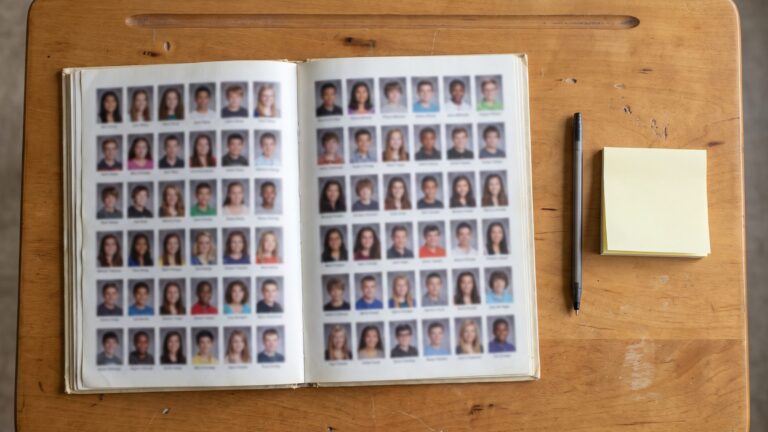
A photo parents have already seen becomes a moment they can relive again and again.

Prom night The class photo comes alive with the prom dance, the most popular living page.
A word from the homeroom teacher The teacher's portrait plays a short video message to the graduates.
First day and last day A first-grade photo plays the video from their very first day of school, a then-and-now that brings tears.
A personal page for every senior The portrait comes alive with a video of the student sharing their dreams. A separate add-on for parents.
Class video A button under the photo opens the full class film on YouTube or in the cloud.
School traditions Concerts, field trips, homecoming and game days on “How it was” spreads.

How much a photographer earns

Photos are deducted once per album design: 28 printed albums for the class cost the same as one.

Example: Class of 2027 (28 students) Amount
Shared living class pages 10 photos
Personal student pages (add-on) 28 photos
Your cost on the PRO plan (about $1.45 per photo) about $55 for the whole class
Parents' surcharge for a living album +$10 x 28 = $280
Your extra earnings about $225 from one class

You set the surcharge; the numbers are a guide. For graduation season, photo packs are more convenient: they never expire.

How to get it done before print

  1. 01

    Collect the videos

    Prom, messages, class video: any video from a phone or camera, up to 400 MB.

  2. 02

    Upload to the class album

    Pairs are matched by file name, and videos are cropped to the frame automatically.

  3. 03

    Place the QR in the layout

    One branded QR per class, on the endpaper or the last page. It does not change after payment.

  4. 04

    Show it at the parent meeting

    DEMO works right away: point a phone at a test print and parents see exactly what they are paying for.

Graduation album FAQ

Do parents and students need an app?

No. The QR code is scanned with the regular phone camera and the album opens in the browser. The Vivalbo app is optional.

How many years will the album work?

Paid albums keep working with unlimited views even after your subscription ends. And if you ever switch to another service, you can export all videos from your dashboard.

Who can see the students' videos?

Only someone holding the album with the QR code. Pages are not indexed by search engines, and files are stored under random names.

What if a student wants to replace their video?

Replacing the video for an already paid photo is free, and the QR code and printed album stay the same.

Will the camera recognize a group photo?

Yes, if the photo has good contrast and detail. Your dashboard shows a recognizability score for every photo before print.

Get a demo ready for the parent meeting

14-day DEMO for free, no card. Bring a few photos from last year's class to life and show them.

Read next

What's next

Three things that happen after you get in touch.

1

Human support

During business hours, in your language, from a person, not a bot.

2

15 minutes on your photo

We'll bring your shot to life and calculate the order value. No 40-slide presentations.

3

14 days free

Full access without a card, if you decide to try. If not, we'll just thank you for your time.

SafariChromeSamsung InternetiOS 14+Android 9+EU serversGDPRVisaMastercard