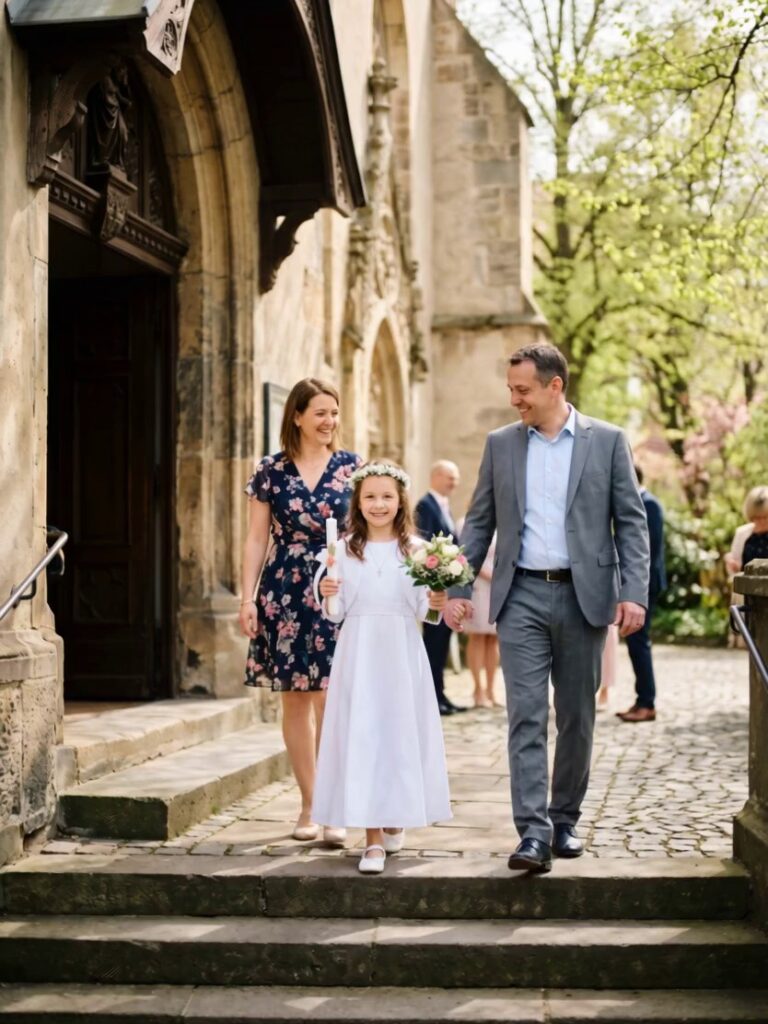
First Communion Album with Video

A First Communion album where photos play video: the procession into church, wishes from the godparents, the family party. One QR code, no app needed.

Vivalbo demo album Live · video from this frame
Vivalbo demo album

What to bring to life in a First Communion album

Every photo in the album can have its own video. Just point a phone at it.

Entering the church The photo of the children in the procession plays the footage of that moment. This is the page families watch most.
Wishes from the godparents A portrait with the godparents and a short clip of their wishes. In a few years the child will watch it again.
Family party The cake, the grandparents' toast, the cousins' first dance: videos from guests' phones go under the party photos.
Outdoor session A shot in the white dress or little suit comes alive with a short clip from the session: a twirl, a smile, soap bubbles.
For girls and for boys The same album in two versions of cover and layout. You pick the videos separately for each child.
Personalized album Name, Communion date, parish name and your own QR code with the photographer's logo on the last page.

How a First Communion album with video works

You print the album as always, at your print shop. You only add one QR code. A parent scans it with the phone camera, opens the album in the browser, points the phone at a photo and sees the video on it.

No app to install. It works on iPhone and Android, and the videos can be watched without limits, years later too, when the child is preparing for Confirmation.

For photographers: one session, the whole First Communion class

Photos are billed once per project. If you make albums for the whole group from a parish, you upload the shared church photos once and add separate pages only for children whose parents ordered the video version. Show the DEMO at the parents' meeting in February or March, when they choose a photographer.

Do you also shoot end-of-year school photos? See the yearbook with video and the kindergarten album.

How to prepare the album before printing

  1. 01

    Collect the videos

    Footage of the ceremony, the godparents' wishes, videos from the party: from a phone or a camera, up to 400 MB.

  2. 02

    Upload them to the album

    Photo and video pairs match by file name, and each video fits the frame on its own.

  3. 03

    Add the QR code to the layout

    One QR code with your logo, on the endpaper or the last page of the album.

  4. 04

    Give the album to the family

    Parents scan the code and watch the videos right away. They can send the link to grandparents and godparents.

Questions about a First Communion album with video

Does the family need to download an app?

No. The QR code is scanned with the regular phone camera, and the album opens in the browser.

What if filming isn't allowed in church?

Then bring the photos from the outdoor session and the party to life, and use regular photos from church. The album doesn't need a video under every photo.

How long will the videos work?

Paid albums work with unlimited views, even if you cancel your subscription later. You can export all videos from your profile at any time.

Who can see the videos?

Only people who have the album with the QR code or a link from the parents. Search engines don't index these pages, and the files have random names.

Prepare a DEMO before First Communion season

Free 14-day DEMO, no card needed. Bring a few photos from last year's Communion to life and show them to parents.

What's next

Three things that happen after you get in touch.

1

Human support

During business hours, in your language, from a person, not a bot.

2

15 minutes on your photo

We'll bring your shot to life and calculate the order value. No 40-slide presentations.

3

14 days free

Full access without a card, if you decide to try. If not, we'll just thank you for your time.

SafariChromeSamsung InternetiOS 14+Android 9+EU serversGDPRVisaMastercard